PageMaker: Designing NewsPaper

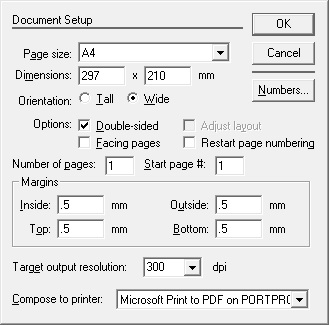
A newspaper is a printed media published daily or weekely in a folded, unstapled format containing information about current events, along with covering various fields such as, business,sports, arts, politics, weather forecasts, etc. It also includes fields such as birthday, obituaries, advertisements, opinions etc. Newspaper comes in different sizes(WxH) such as Broadsheet, Berliner and Tabloid. Broadsheet Which has the measure of 23.5" x 29.5" or 13.5" x 21.5" Berliner Dimension of this type is 12.4" x 18.5" Tabloid Which has the measure of 11.0" x 16.9" Compact Which has the measure of 10.5" x 13.5" Almost all major newspapers in India are broadsheets. Tabloids are mostly found in small-circulation local or rural papers. Let's get started by designing broadsheet size, 13.5" x 21.5", newspaper. Open Page maker and choose File from menu then New and fill the field in the Document set-up window ****Check th...