Posts

Showing posts with the label Pagemaker

PageMaker: Masking

Image
Masking means cover or frame the object/image with a shape, through which you can see the object. For this you require one image and a polygon shape. Now, follow below steps. Open Adobe PageMaker and click File menu then New which opens the Document Setup window. Now, select PageSize as Letter and Orientation Wide. Check the image below to set the remaining fields. Click Ok to proceed to next Add the picture into the document you just created. You can select image through picture palette or by going to menu and select File->Place (or Ctrl+D) and select the picture you like and drag in your document [In this method when you select an image your mouse pointer will change then click drag your mouse pointer] Click to learn the basics of PageMaker Now select Polygon tool from the tool box and select Element from menu and click Polygon settings . In this window you can change the sides and radius of your polygon. Refer below image: In Polygon settings window Number of Sides...

PageMaker: Designing NewsPaper

Image
A newspaper is a printed media published daily or weekely in a folded, unstapled format containing information about current events, along with covering various fields such as, business,sports, arts, politics, weather forecasts, etc. It also includes fields such as birthday, obituaries, advertisements, opinions etc. Newspaper comes in different sizes(WxH) such as Broadsheet, Berliner and Tabloid. Broadsheet Which has the measure of 23.5" x 29.5" or 13.5" x 21.5" Berliner Dimension of this type is 12.4" x 18.5" Tabloid Which has the measure of 11.0" x 16.9" Compact Which has the measure of 10.5" x 13.5" Almost all major newspapers in India are broadsheets. Tabloids are mostly found in small-circulation local or rural papers. Let's get started by designing broadsheet size, 13.5" x 21.5", newspaper. Open Page maker and choose File from menu then New and fill the field in the Document set-up window ****Check th...

PageMaker: Making simple visiting card step-by-step

Image
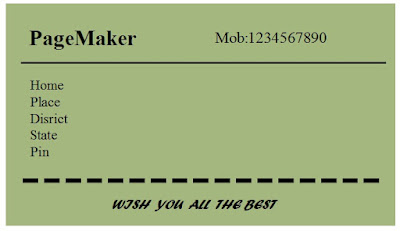
In this post you will learn how to create simple visiting card using Adobe PageMaker 7.0. Below is the image of a simple visiting card you are going to try. SanDisk Extreme SD UHS I 64GB Card for 4K Video for DSLR and Mirrorless Cameras 170MB/s Read & 80MB/s Write First, open the PageMaker application. Close the Templates window, which opens initially on startup of PageMaker, Now click on File menu and select New . A Document setup window opens,make the fields of Document Setup as seen in the image below and click OK Now select rectangle box tool from Tool box and draw a rectangle.

Designing in PageMaker:Quick learn

Image
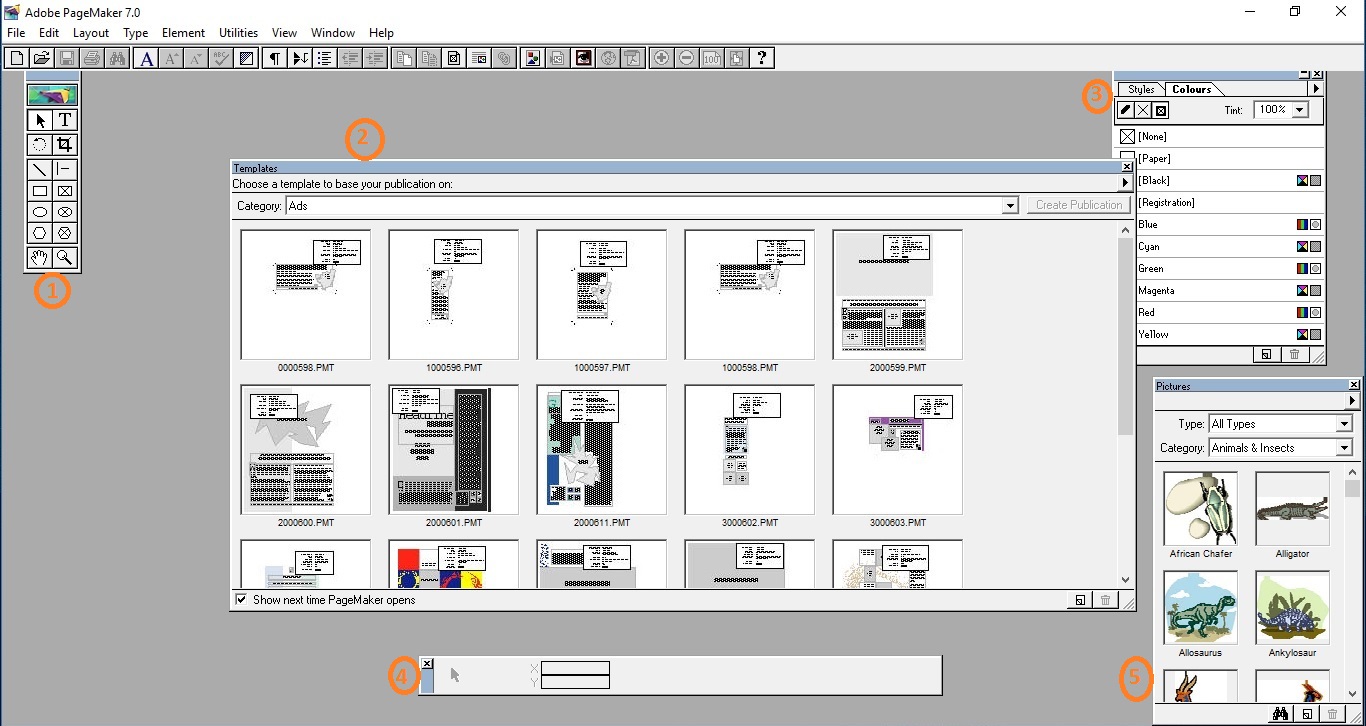
PageMaker is an application software  used as desktop publishing(DTP) in GUI based system. PageMaker was first introduced in Apple Macintosh system in 1985 by Aldus. Later in 1987 Pagemaker was also available in Microsoft Window OS. Publications created in PageMaker can be used in areas such as business, education, home-office etc. Its interface and various tools helps the user to create customized publication Using pagemaker user can create publication such as brochure, business card, Invitation cards, ads,newsletter and more. Sometimes user can use the templates provided by the application for various publications. Pagemaker software introducing in this post is Adobe PageMaker version 7.0(released in July 2001). InDesign is the successor of PageMaker By designing a simple publication you can easily understand the interface of this application and can create lots of other DTP works, such as, wedding card ,invitation card, brochures,books, magazine etc., with PageMaker. So,...